♫ music — anthonymaley/musictui
    __  ___           _         ________  ______
   /  |/  /_  _______(_)____   /_  __/ / / /  _/
  / /|_/ / / / / ___/ / ___/    / / / / / // /
 / /  / / /_/ (__  ) / /__     / / / /_/ // /
/_/  /_/\__,_/____/_/\___/    /_/  \____/___/
Apple Music for people who prefer terminals.
┌──────────────────────────────────────────────────────┐
│  ▶ Everything In Its Right Place — Radiohead         │
│     Kitchen [60] · Living Room [60] · shuffle        │
└──────────────────────────────────────────────────────┘
Command line or Claude
Type a command when you know what you want. Ask Claude for the multi-step jobs.
Reference
Keys, install, scripting, config, and requirements.
1-5jump to a tab
j k h lmove (vim ↓ ↑ ← →)
g / Gtop / bottom
Tabcycle tabs
/search / filter as you type
Spaceplay / pause
< / >previous / next track
+ / -volume ±5
[ / ]seek ±30s, or switch sub-views
qquit
installbrew install anthonymaley/musictui/musictui
scriptingmusic now --json | jq (every command takes --json)
cover arttrue pixels on Kitty, WezTerm, Ghostty, iTerm2 3.5+; chafa half-blocks everywhere else
config~/.config/music/. auth in config.json (key id, team id, path to your .p8) and user-token; plus stations, queue, art cache. plain files, not the Keychain.
footprintone native binary. no daemon, no telemetry, no account for playback
tokensplayback, speakers, volume, and radio favorites are free. catalog and library want an Apple Developer account ($99/yr)
uninstallrm -f ~/.local/bin/music && rm -rf ~/.config/music
runs onmacOS with Apple Music. the TUI needs a real TTY.
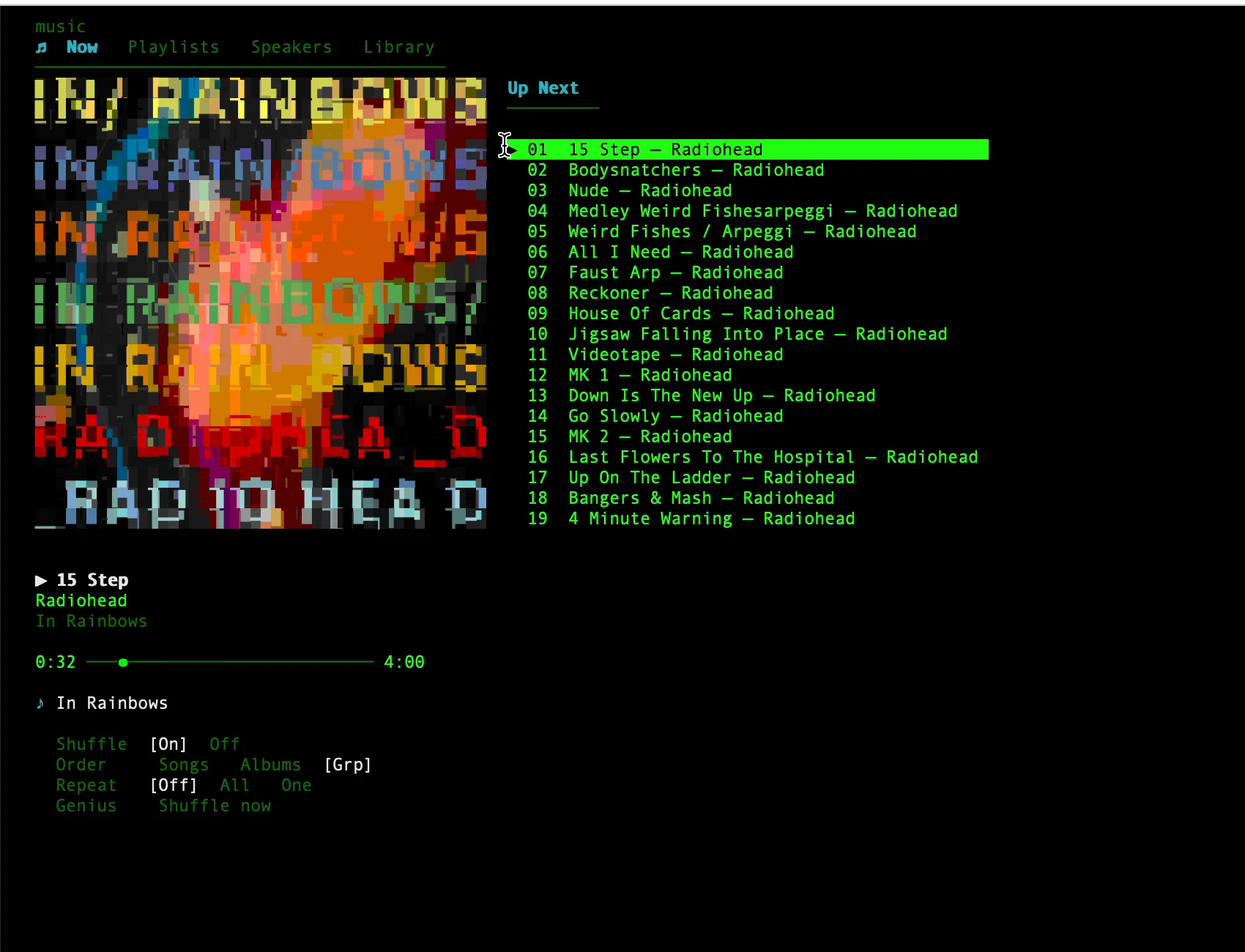
Now
Album art, live metadata, and the Up Next queue.
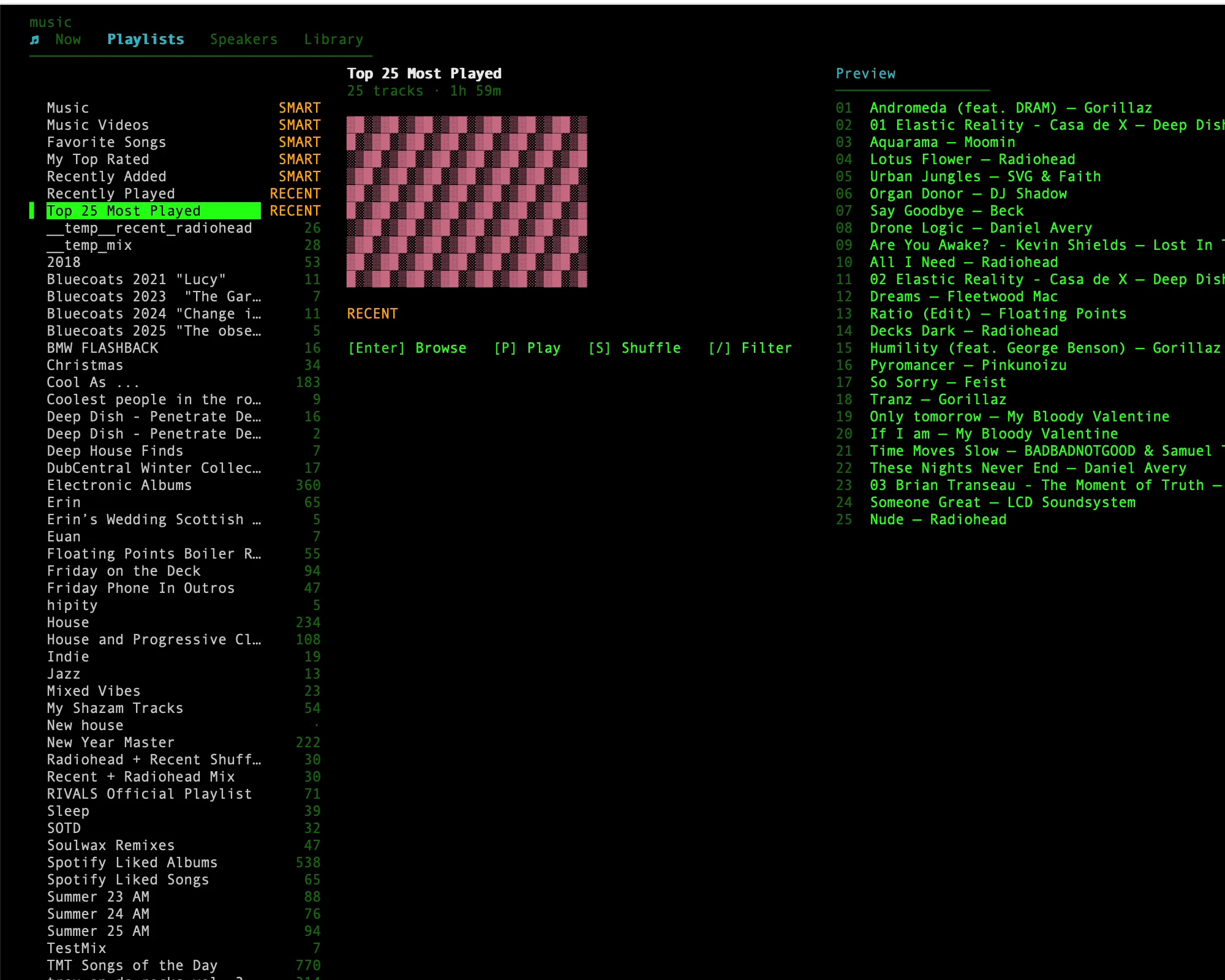
Playlists
Instant list navigation, filter as you type, and pin any playlist to Now to replay its tracks while playback continues.
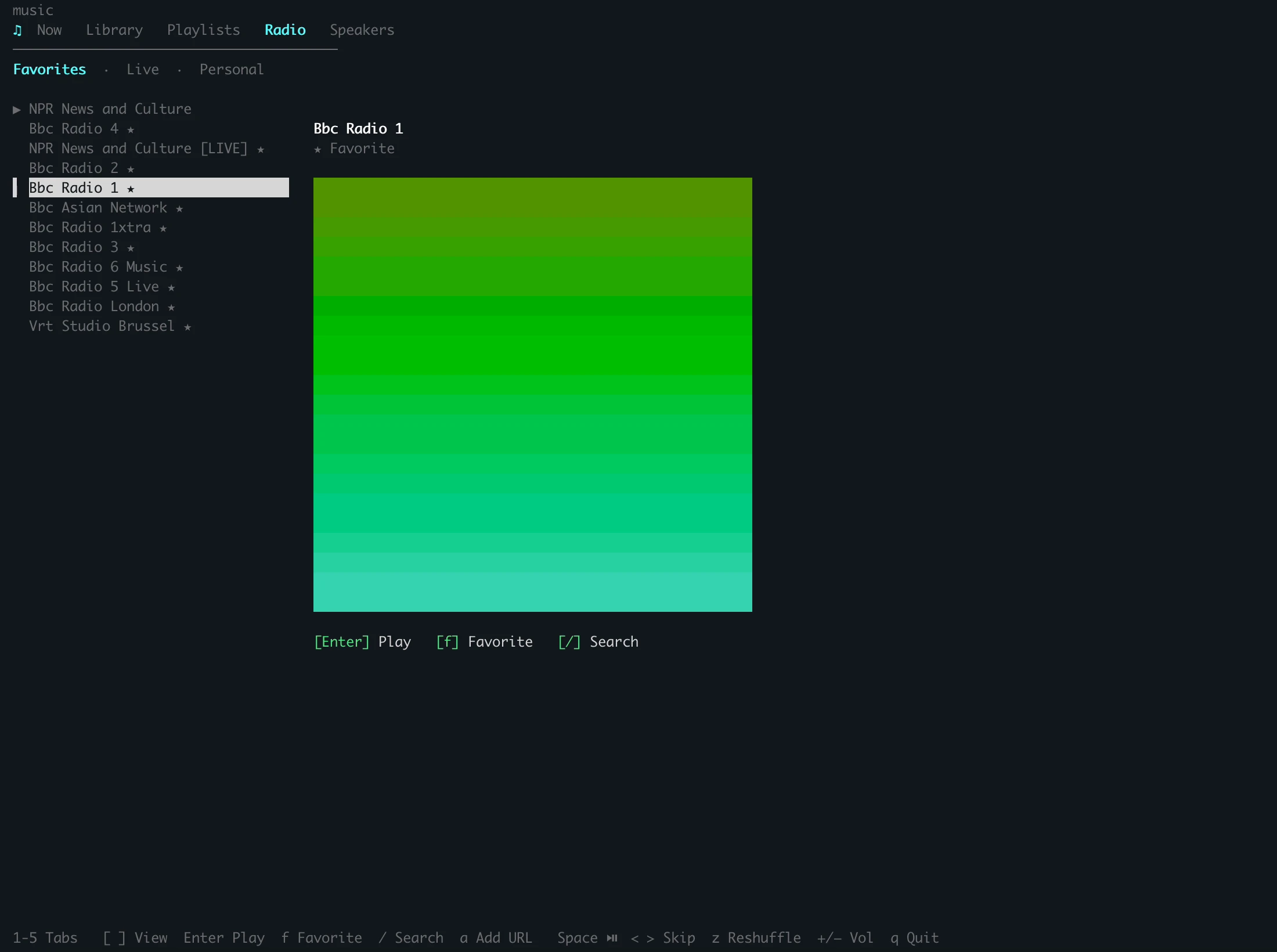
Radio
Favorite stations, the live Apple Music lineup, your personal station. Search the catalog or paste a station URL.
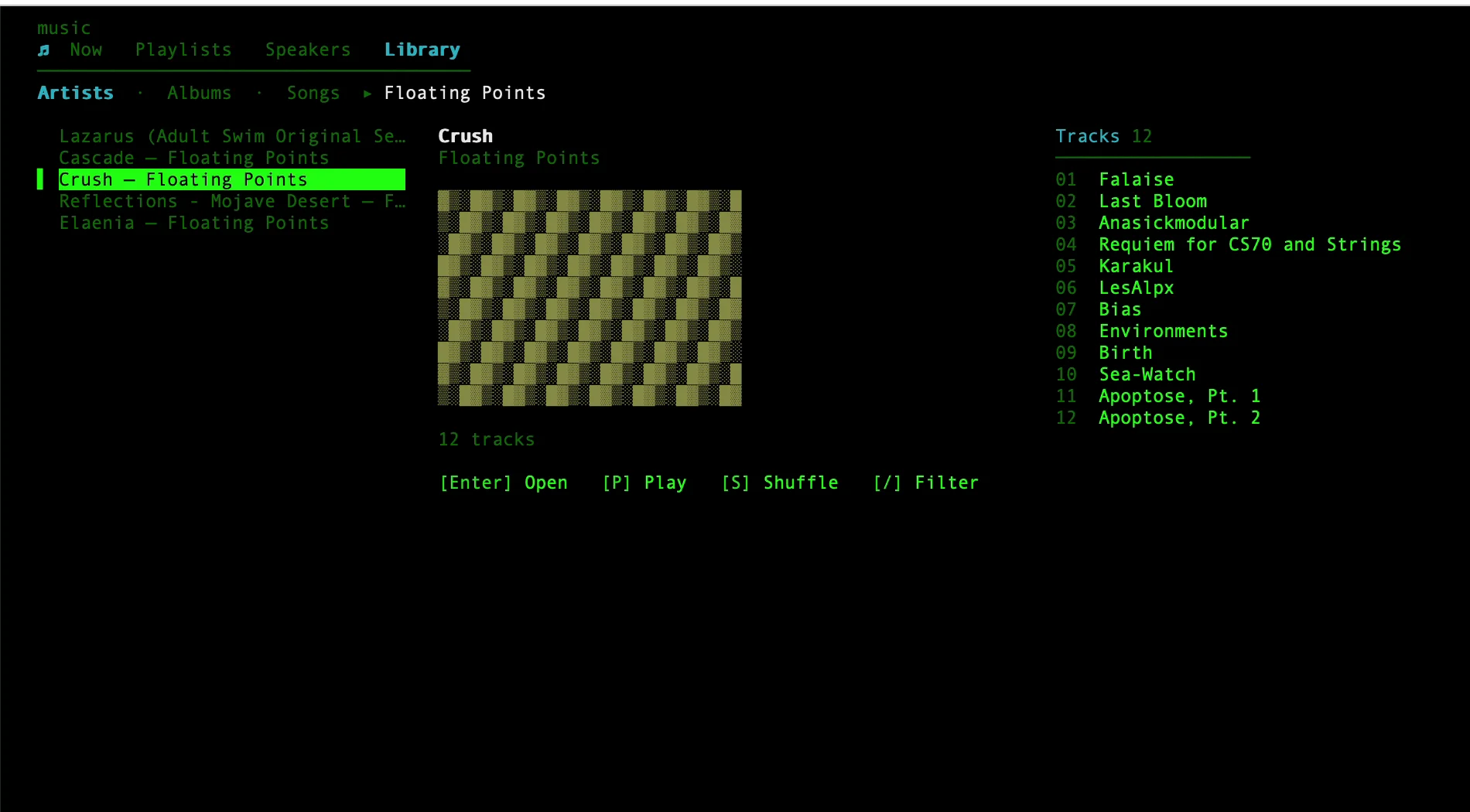
Library
Artists, Albums, Songs. Filter 12″s from LPs; an album plays as its own queue and stops at the record's end.
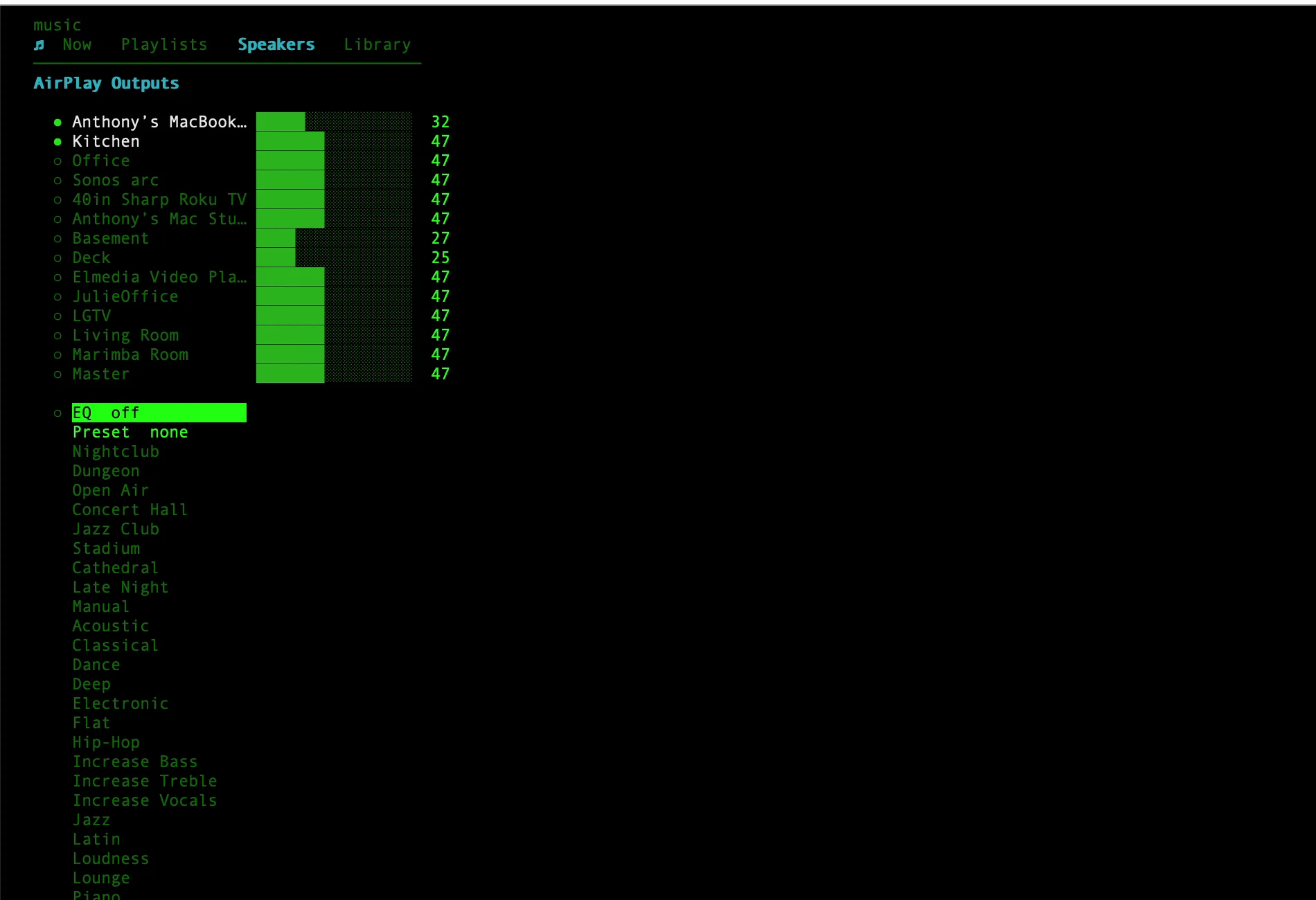
Speakers
Toggle AirPlay outputs, set per-speaker volume with ←→, pick a venue EQ preset, and see each route verified against the network.
▸ play · pause · skip · seek
▸ multi-room routing, verified
▸ library browsing
▸ catalog + library search
▸ playlists & sharing
▸ radio stations
▸ venue equalizer
▸ discovery & mixes
Three ways to use it
CLI + TUI
$ music
Terminal commands and an interactive tabbed shell: Now, Library, Playlists, Radio, Speakers. Scriptable and fast, no tokens.
setup: build CLItokens: none
CLI + API
$ music search
Full catalog, library, and discovery via MusicKit: search, playlist CRUD, similar tracks, mixes, heavy rotation.
setup: + Apple Developertokens: none
Natural language
/music
Everything in words. "Play Kid A in the kitchen and living room at 60%." Playback with routing, search, playlists, radio, discovery.
setup: build CLItokens: normal
What it does
▸ verified routing
Checked against the network
Route to named AirPlay speakers. Each route is verified against live network sessions, not AppleScript's claim, and healed if it fails to establish.
▸ radio
Plays through Music.app
Favorites, the live Apple Music lineup, and your personal station; favorite any station by URL. Plays through Music.app with the AirPlay group intact, no second app.
▸ library
Artists, albums, and songs
Three views: Artists, Albums, Songs. A tier filter separates 12″/EPs from full albums. Playing an album queues only that album and stops at its end.
▸ venue eq
Eight venue presets
Eight presets: Nightclub, Dungeon, Open Air, Concert Hall, Jazz Club, Stadium, Cathedral, Late Night. Written to Music.app's own equalizer on first use.
▸ visualizer
Music's on-screen visuals
Toggle Music's built-in visualizer (the Cmd-T graphics) from the CLI or the Speakers tab.
▸ search
Replay results by index
Catalog and library search. Results are numbered; replay one with music play 3. Refine by artist or album.
▸ playlists
Create, edit, and share
Create from search indices, add or remove tracks, share to iMessage or email. Temp playlists are deleted on cleanup.
▸ discovery
Similar tracks, mixes, rotation
Similar tracks, playlist-based suggestions, new releases from the current artist, blended mixes, recently played, and heavy rotation.
▸ status line
Current track in the prompt
Shows the current track in Claude Code's status line. No token cost.
Install
Homebrew alone gives you playback, multi-room routing, volume, the TUI, and the status line, with no account. Only catalog search and library browsing need step 3. Requires macOS 14+ and Apple Music. Apple Silicon on macOS 26 gets a prebuilt binary; other Macs build from source with Swift 5.9+ (the Command Line Tools are enough).
What needs auth?
Feature
No auth
+ Dev token
+ User token
Play, pause, skip, stop, seek, shuffle, repeat
✓
✓
✓
Speakers, volume, now playing, love/unlove
✓
✓
✓
Catalog search
—
✓
✓
Library search + Library tab
—
—
✓
Add to library
—
—
✓
Playlist CRUD via API
—
—
✓
Similar, suggestions, new releases, mix
—
—
✓
Recently played, heavy rotation
—
—
✓